Put the window sticker where shoppers are looking
Every listing on your site can show VIN-specific factory option value — right on the search results page and the vehicle details page. It's just two lines of JavaScript.
- Color
- Black Clear-Coat
- Mileage
- 27,691
- Engine
- 3.6L V6
- Transmission
- 8-Speed Automatic
The SRP icon: value at a glance
A small, tasteful link that sits on each listing card and shows the original MSRP of that vehicle's option packages. Shoppers see the equipment story before they even click, and dealers see more VDP traffic.
Try it — this is the actual live component. Hover it for the package preview.
Built to earn the click
- ✓Option package MSRP, front and center. Shows shoppers the factory equipment value baked into each vehicle.
- ✓Hover preview. Shoppers can hover the icon to peek at the top packages before clicking through to the full sticker.
- ✓Optional figures. Configure it to also show the vehicle's Total MSRP and/or combined MPG, or add small arrows so shoppers can flip between all three.
- ✓Easy peasy. Drop our JavaScript into your SRP template once, and the icon populates for each VIN automatically.
Masking prices: full control of the sticker
Sometimes you just want to present the equipment and options without the MSRP. Masking hides the Base MSRP and Total MSRP from the window sticker — for the times you're selling the car above Total MSRP, and the pricing conversation belongs with your salesperson, not with a 2023 document.
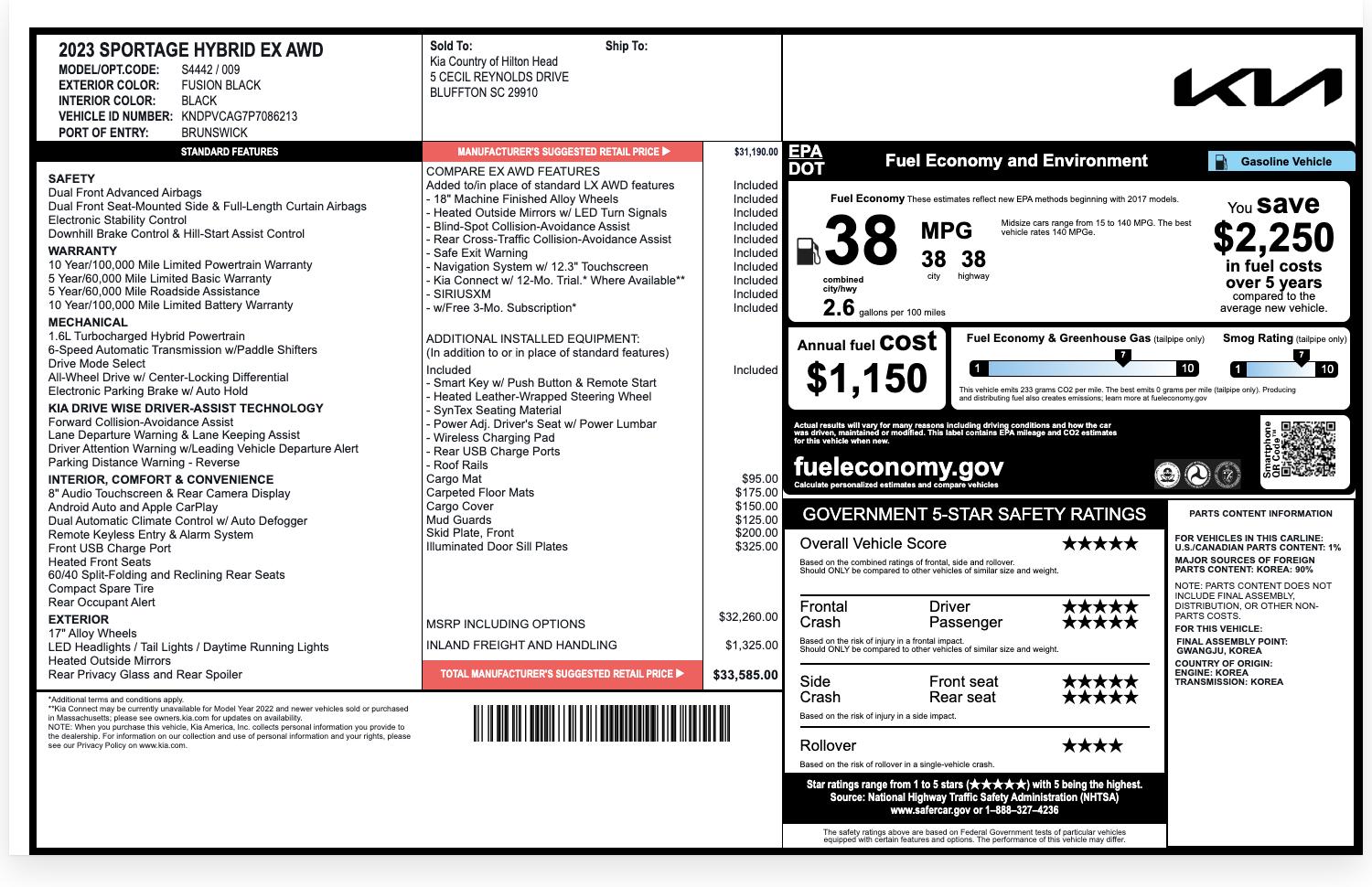
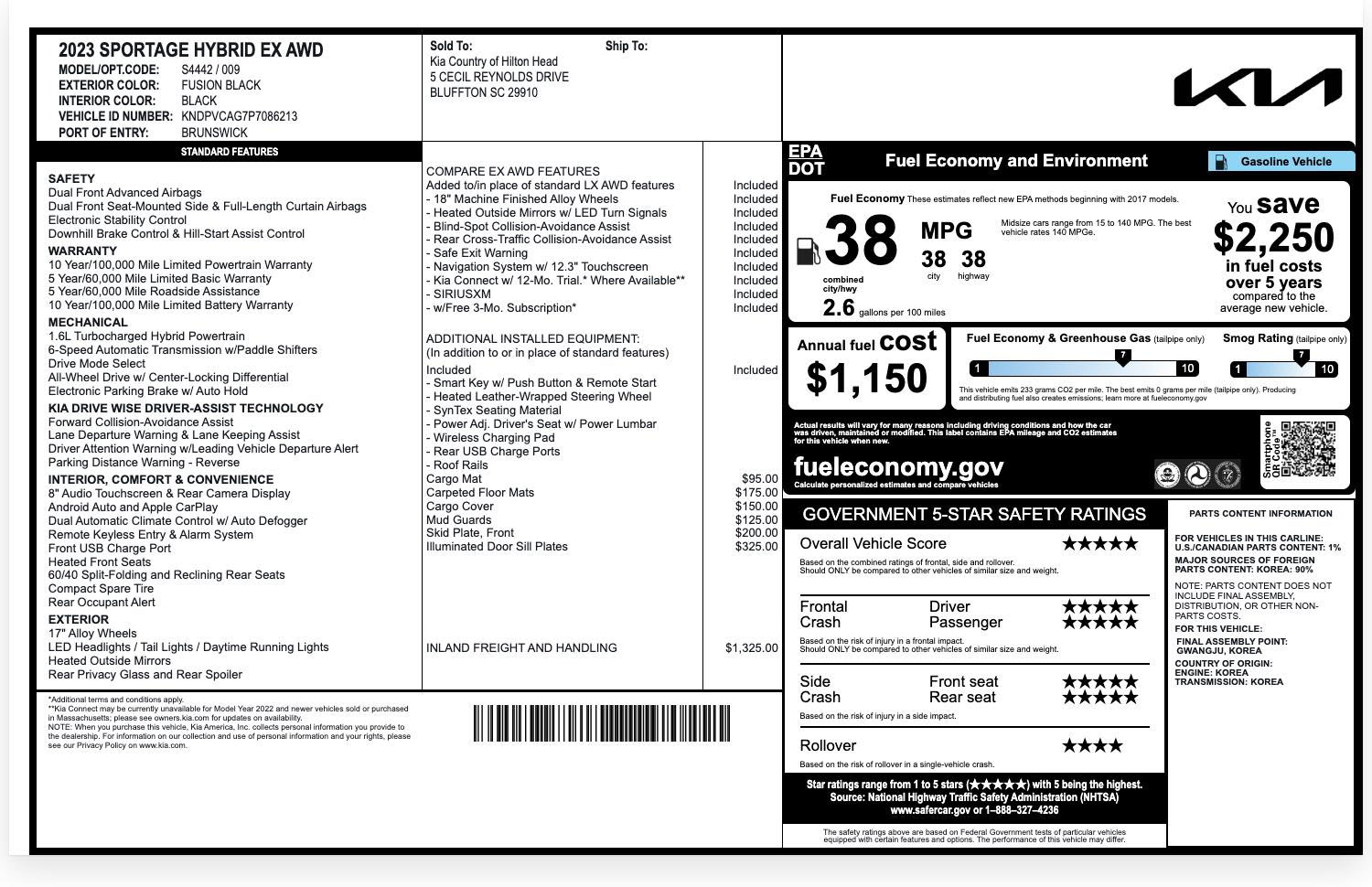
◂ Drag anywhere on the sticker ▸
The VDP widget: the full sticker with no clicks required
A fully interactive block that renders seamlessly inside your VDP. Shoppers can browse VIN-specific MSRP details and see what the car cost when new, without ever leaving you page.
Live demo.
Cut, paste, done
No plugins, no platform lock-in, no developer project. If you (or your website provider) can paste a snippet, you can be live today.
Copy your snippet
Grab your dealer-specific JavaScript from your Digital Window Stickers dashboard.
Paste into your pages
Drop it into your SRP template for the icon and your VDP template for the widget. It works with any website platform.
Style to match
Set your colors and style options once. Both the icon and widget render seamlessly inside your existing design.
<!-- 1. Load your icon script once, in the page <head> -->
          <script src="https://cdn.digitalwindowstickers.com/scripts/YOUR-CUSTOMER-ID.js"></script>
          <!-- 2. Drop a placeholder on each vehicle card -->
          <div class="dws-btn"
          data-customer_id="YOUR-CUSTOMER-ID"
          data-vin="1C6JJTEG0NL173071"
Included with your product
The SRP icon and the VDP widget both ship with every Digital Window Stickers subscription.
Get the code